Squarespace IDX Integration: Step-by-Step Guide

If you’re a realtor using Squarespace, you may be wondering how to display MLS listings directly on your Squarespace website. While Squarespace doesn’t include built-in IDX integration, you can absolutely connect your site to an IDX provider and it’s easier than most people think.
This step-by-step tutorial explains everything you need to know, from choosing a provider to embedding listings on your site.
If you’re building a real estate website, you may also love my Realtor Squarespace Template Collection
What Is IDX and Why Realtors Need It
IDX (Internet Data Exchange) is a system that allows real estate professionals to display MLS listings on their own website. Instead of sending visitors to Zillow or another platform, IDX lets buyers search for properties directly on your site.
This helps you:
keep visitors on your site longer
capture more leads
build authority
look more professional
Can Squarespace Connect to IDX?
Yes, but not natively. Squarespace doesn’t include built-in IDX functionality. Instead, IDX is added using a third-party provider that gives you a widget or script code to paste into your site.
A widget is simply a piece of code generated inside your IDX dashboard that displays listings or search tools on your page.
What You Need Before You Start
Before connecting IDX, make sure you have:
✔ an active Squarespace website
✔ a Business or Commerce plan (required for code blocks)
✔ an IDX provider subscription
✔ MLS approval (most providers require this)
Prefer a ready-made real estate layout? Start with my Realtor Website Template
Step-by-Step: How to Add IDX to Squarespace Real Estate Website
Step 1. Choose an IDX Provider
Popular IDX platforms compatible with Squarespace include:
Choose one that supports your MLS and location.
In this guide, I’ll show you how to connect IDX Broker to your Squarespace website using a simple step-by-step process. IDX Broker is a trusted IDX provider used by thousands of real estate professionals, and integrating it correctly allows your site to display real-time MLS listings while maintaining your branding.
Step 2. Create Your IDX Widget
Inside your IDX provider dashboard:
Go to Design
Click Website
Click Widgets
You can either create a new widget or use an existing one.
Step 3. Copy the IDX Code
Click the View Code icon next to your widget
Copy the script code from the popup window
This code is what displays your listings.
Step 4 Add IDX Code to Your Squarespace Page
Now go to your Squarespace site editor:
Open the page where you want the listings
Add a Code Block
Resize the block if needed
Make sure:
HTML is selected
“Display Source” is NOT checked
Paste the IDX script into the block
Save the page
That’s it! Your listings will appear on your page.
Important note:
Squarespace disables scripts while you’re editing, so you may see a message saying scripts are disabled. This is normal and doesn’t mean it’s broken. To see your listings, you can either preview in Safe Mode or publish your changes.
If your widget doesn’t load:
Log out and log back into Squarespace
Check your theme settings (Ajax loading can sometimes affect scripts), check out the Troubleshooting Squarespace Ajax Loading article from IDX Broker for more information
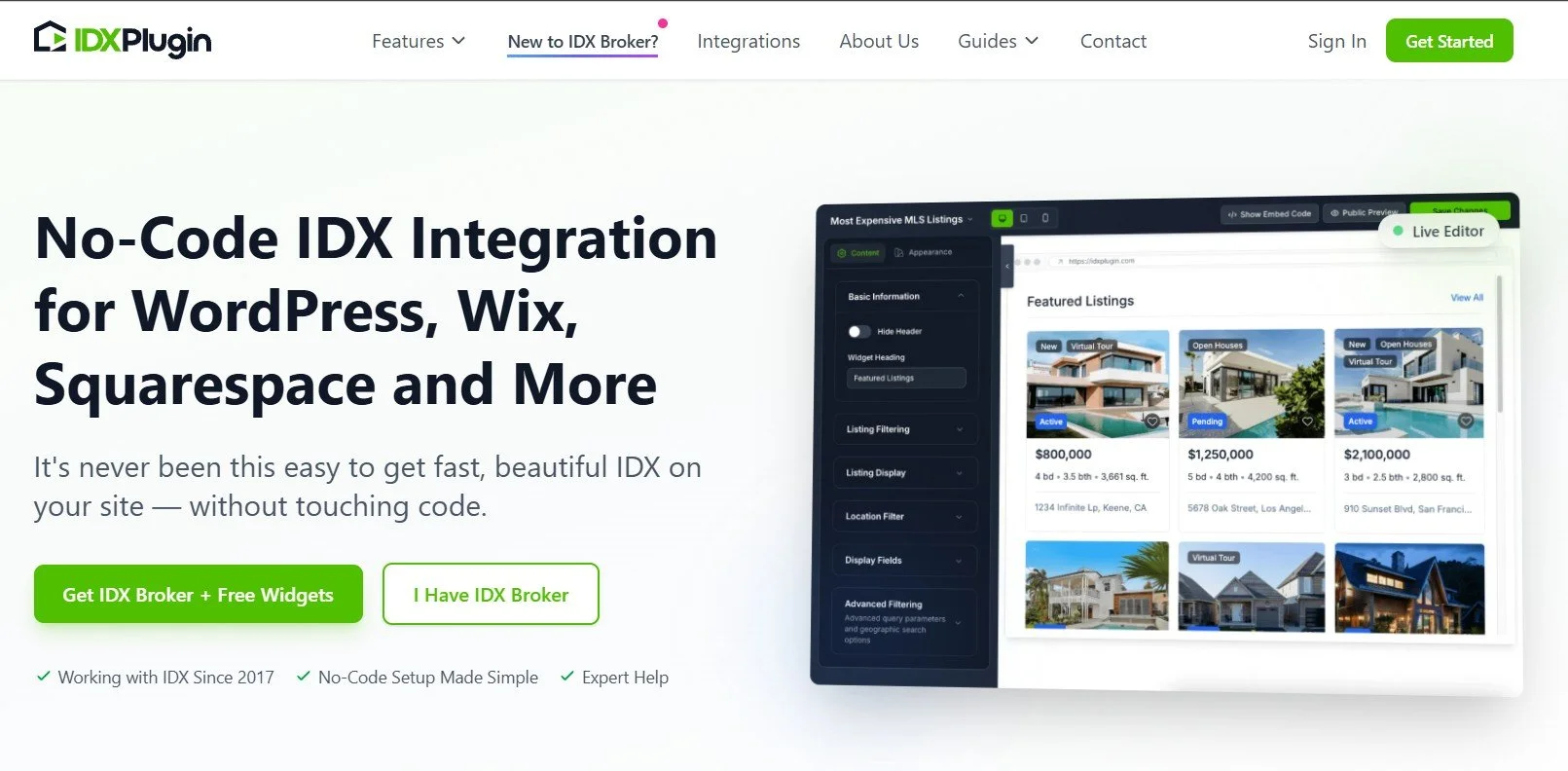
One powerful option realtors are starting to use is combining IDX Broker + IDX Plugin for a more modern search experience.
IDX Plugin is an add-on designed to enhance your IDX Broker account with advanced widgets, search tools, and customizable listing displays that can be embedded on any website platform, including Squarespace.
Unlike a standalone IDX provider, it works alongside IDX Broker to improve design, speed, and lead generation tools.
Where to Place IDX on Your Website (Best Pages)
For best results, add IDX to:
Home search page - Your homepage is the first impression visitors get. Adding a simple property search bar or featured listings section immediately shows visitors they can browse homes directly on your site.
Featured listings page - Many IDX providers allow you to display featured properties or specific listing groups, such as new listings, open houses.
Dedicated search page - Every real estate website should have a main search page. This is where you can embed a full IDX search interface with filters and advanced options.
Neighborhood pages - By embedding listings filtered to a specific location, you can target searches like: Homes for sale in [Neighborhood Name]
Property search section - Some IDX systems allow individual listing pages to be indexed by search engines. This means buyers searching for a specific property address could land directly on your website instead of a listing portal.
Many realtors create a main navigation link labeled: Search Homes
If you want a quick setup, you can skip embedding and simply link to your IDX search page hosted by your provider.
This works well if:
you’re launching fast
you’re on a budget
you want simple setup

Choose an IDX Provider Carefully
Not all IDX providers offer the same features, performance, or user experience, so choosing the right one is an important decision for your website’s success. Since your IDX system will power your property search and listing display, it directly affects how visitors interact with your site and whether they stay long enough to become leads.
When comparing providers, look for the following key factors:
Mobile-friendly search
Most home buyers browse listings on their phones. Your IDX search must be fully responsive, fast, and easy to use on mobile devices. If visitors have to zoom, scroll sideways, or wait for pages to load, they’re likely to leave and search elsewhere.
SEO-friendly pages
Some IDX providers generate search pages that can be indexed by Google, while others block search engines from crawling them. SEO-friendly IDX pages can help your site rank for property searches like “homes for sale in [city],” which can drive long-term organic traffic to your website.
Fast loading speed
Speed is critical for both user experience and SEO. Heavy scripts or poorly optimized widgets can slow down your site, which can hurt rankings and frustrate visitors. Always test a demo site from the provider before committing.
Clean design and user interface
Your listings should look modern, organized, and easy to navigate. Avoid providers with outdated layouts or cluttered search interfaces.
The best IDX providers allow you to adjust colors, fonts, layout styles, and display formats. This ensures your listings match your brand instead of looking like a generic third-party tool.
Final Thought
Connecting IDX to a Squarespace website is completely achievable and once it’s set up, it can transform your site into a powerful home search platform that works for you around the clock.
The key is choosing a reliable IDX provider, embedding the tools correctly, and placing them strategically throughout your site so visitors can easily browse listings, explore neighborhoods, and contact you when they’re ready.
You don’t need advanced technical skills or a developer to make this work. With the right setup, your real estate website can look professional, function smoothly, and generate leads automatically.
If you want to launch faster, starting with a website template designed specifically for realtors can make the process even easier, since the pages and layout are already structured for IDX placement and lead conversion.
FAQs
Can you add IDX to a Squarespace website?
Yes. Squarespace does not include native IDX integration, but you can connect an IDX provider such as IDX Broker or iHomefinder by embedding their widget or script code into a Squarespace Code Block. This allows you to display MLS listings and property searches directly on your site.
Do I need coding skills to set up Squarespace IDX integration?
No. Most IDX providers generate ready-to-use code. You simply copy the code from your IDX dashboard and paste it into your Squarespace page. No technical or coding experience is required.
Which IDX providers work with Squarespace?
Many IDX providers work with Squarespace, including IDX Broker, iHomefinder, Showcase IDX, and others. The key requirement is that the provider must supply an embed code or hosted search page that can be added to your site.
Is IDX necessary for a real estate website?
IDX is not required to launch your site, but it’s highly recommended once your business grows. Many agents start with featured listings or manual property pages, then add IDX later to allow visitors to search all MLS listings directly on their website.
Ready to build an eye-catching website that perfectly captures your ideal customers and represents your brand?
Check out our collections of premium Squarespace Website Templates today and start your journey toward creating an impactful web presence! Click the link below to explore one of our designs.


Just a heads-up: This post may contain affiliate links. That means if you click on one of those shiny links and make a purchase, I might earn a small commission – at no extra cost to you! Think of it as you buying me a coffee ☕for sharing these fantastic finds with you. It helps keep the blog lights on and the content flowing! So, while you’re here, feel free to enjoy the recommendations and know that your support means the world to me.